
Module 01 · Manage
Run the unit from the record, not the spreadsheet.
Manage is where supervisors, case managers and administrators see the whole operation: what has come in, who has it, what is at risk, and the evidence that the work was done properly.
Operations dashboard
The state of the unit, the moment you sign in.
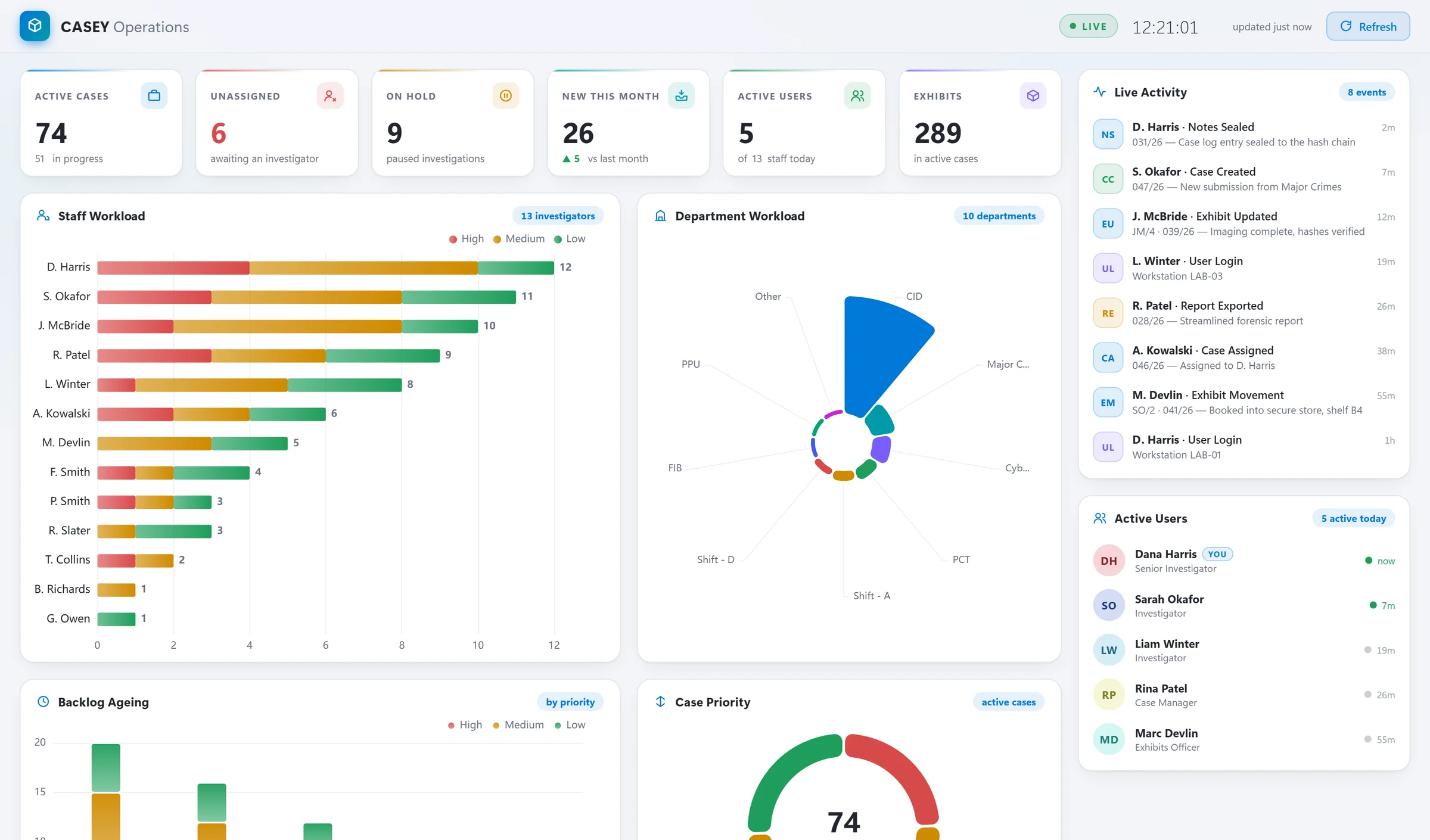
Interactive charts drawn from live data: active, unassigned and on-hold cases, new submissions against last month, staff workload by priority, workload by department, backlog ageing, case priority, a live activity feed and who is working today.
Cases
Every case, every status, one list.
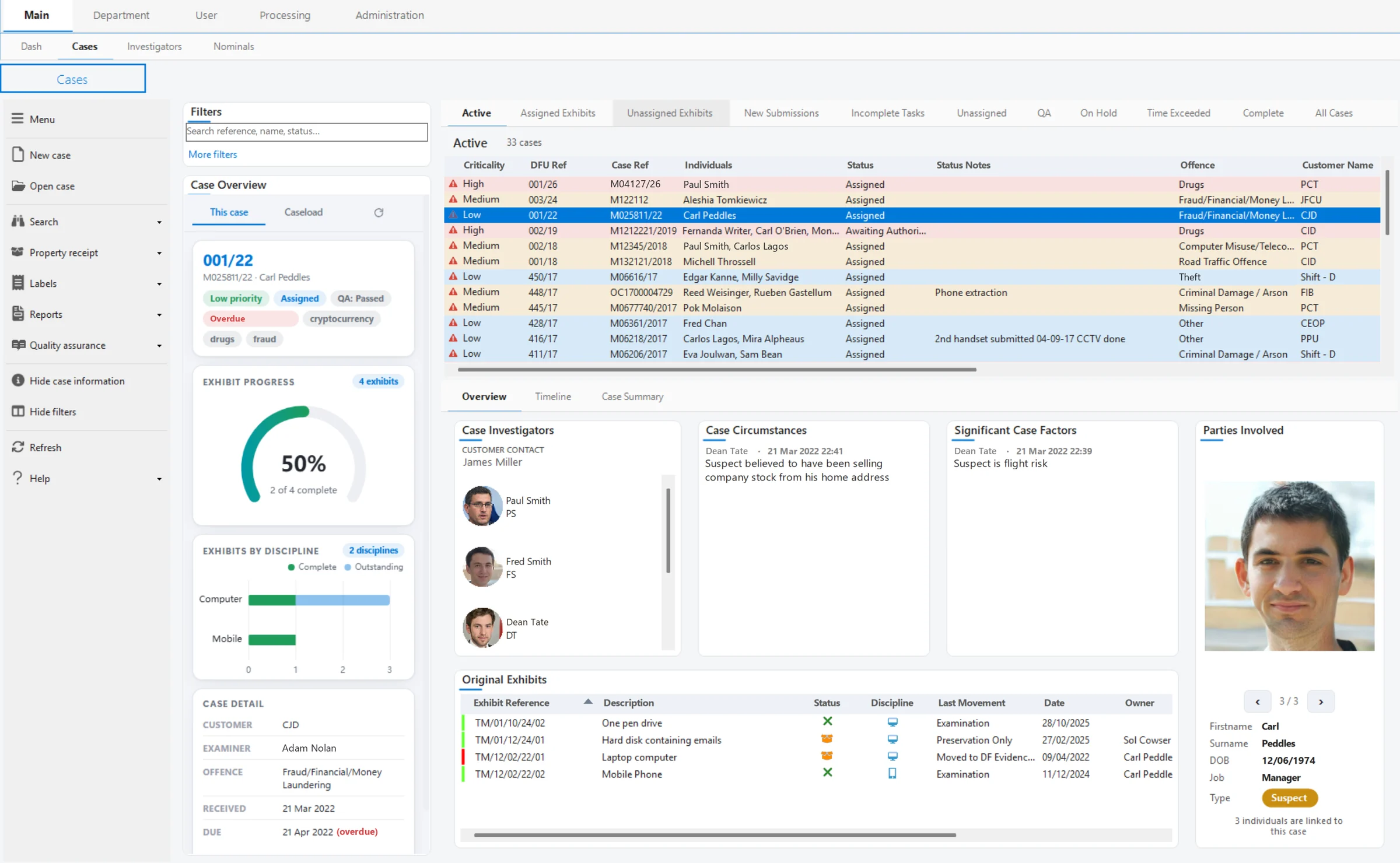
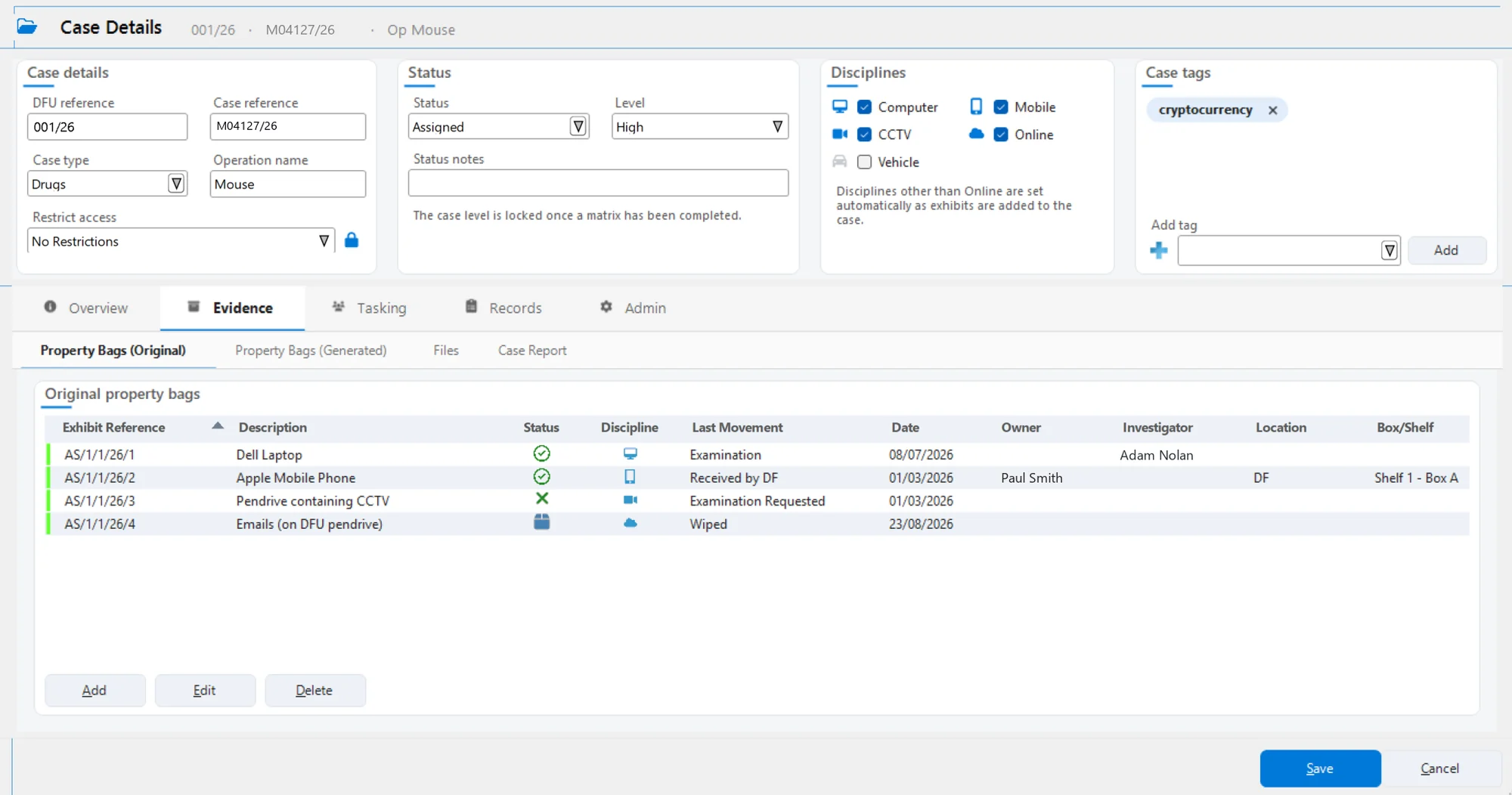
Filter and group cases by status (New Submissions, Unassigned, Active, QA, On Hold, Time Exceeded, Completed) and open any of them into a full case record.
- Case detail in five groups: Overview, Evidence, Tasking, Records and Admin, covering dates, customer, contacts, expenses, exhibits, investigators, timeline, case log, QA, files, audit, GDPR and backup
- Allocation per investigator, including the exhibits and tasks each person owns
- Property receipts, transit bag reports, labels and returns generated from the case
People
Supervision built on facts.
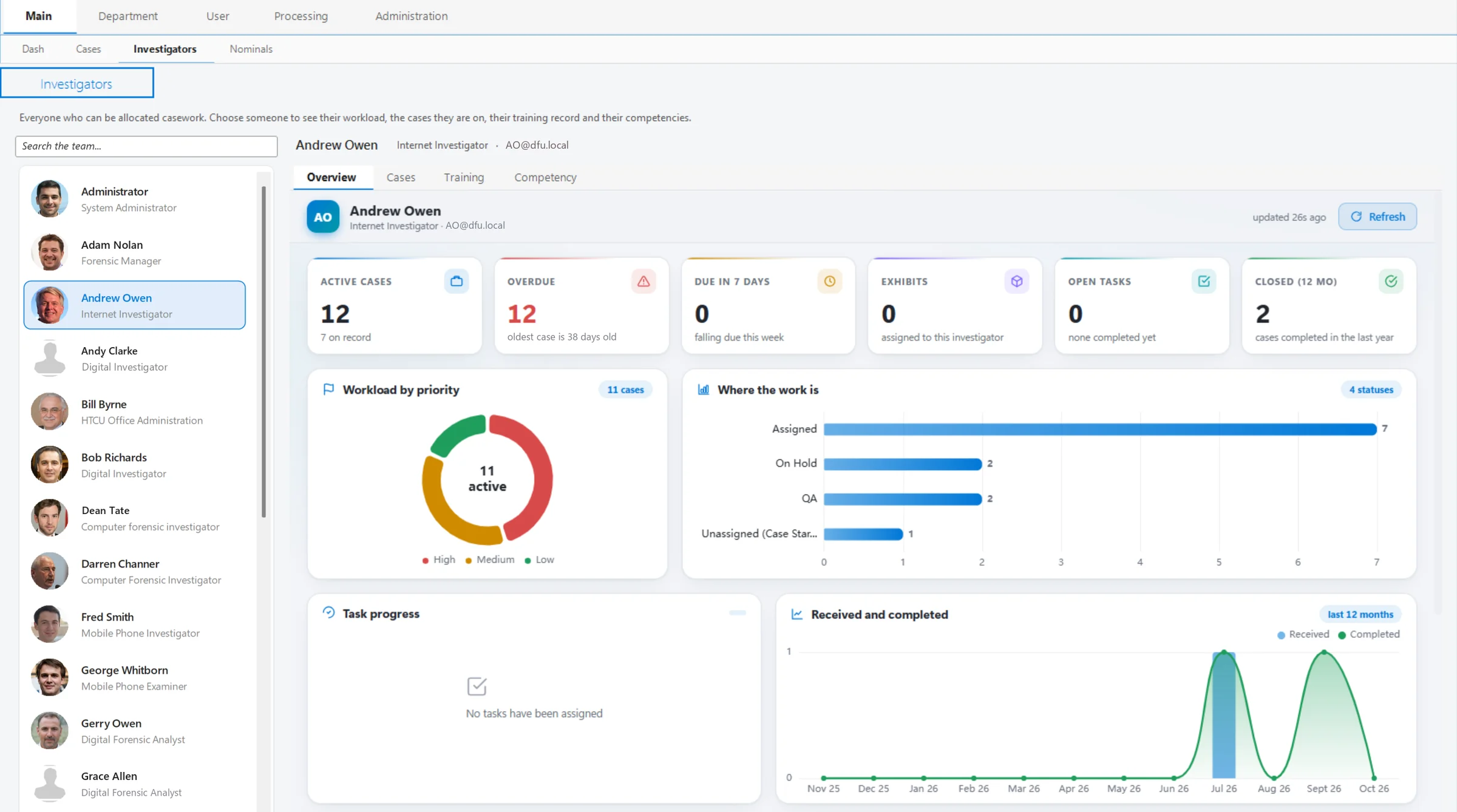
Choose anyone in the team to see their workload, the cases they are on, their training record and their competencies. Active and overdue cases, tasks, twelve months of throughput and how long work has been open are all there.
- Workload by priority, discipline and status
- Calendar with leave and TOIL, and in-system messaging
- Booked hours against cases and tasks
Asset register
Every tool, and every case it was used on.
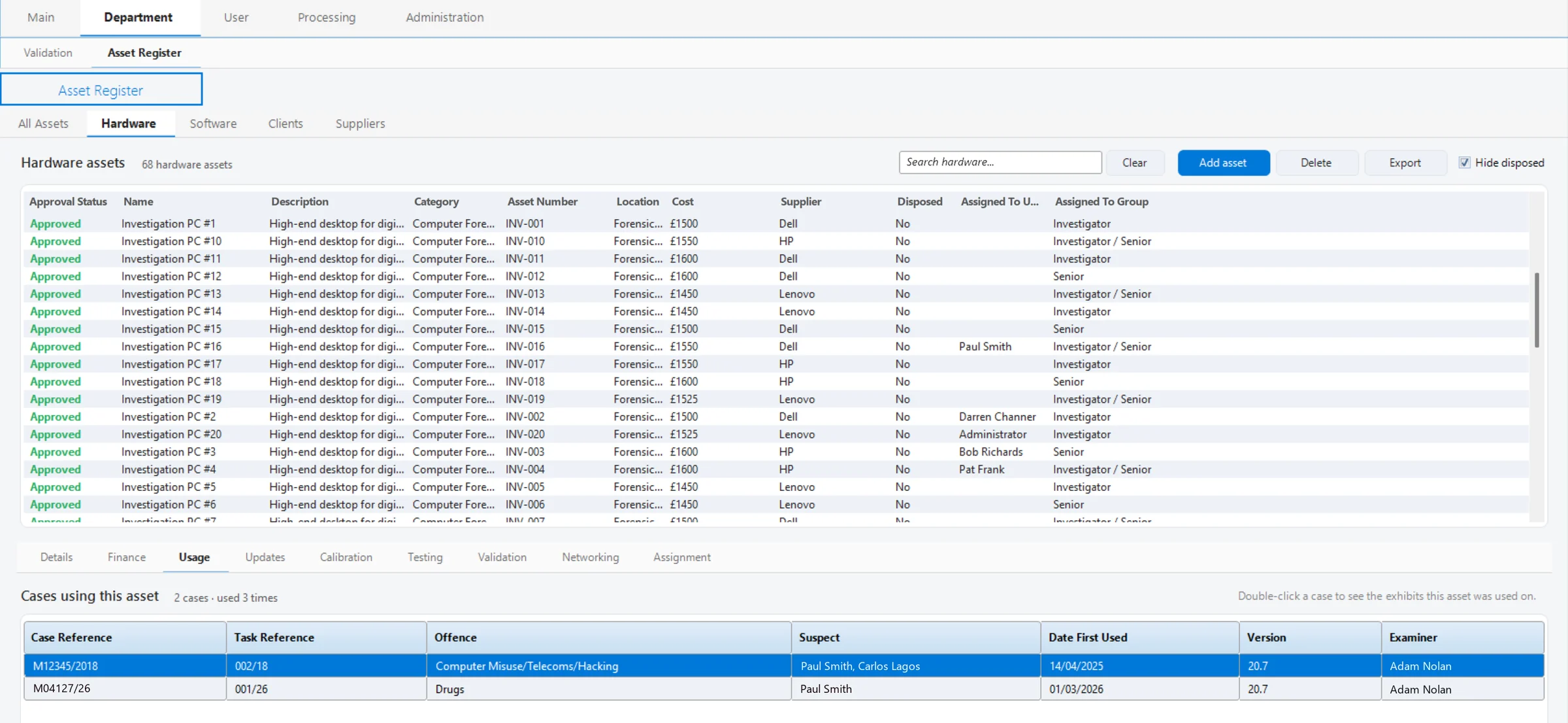
Hardware and software assets with approval status, finance, updates, calibration, testing, validation and assignment. Usage links each asset to the cases and exhibits it was used on, with the version at the time.
- Answer “which cases used this tool?” in one click when a tool or version is questioned
- Calibration, testing and validation records for accreditation
- Remote access to imagers, with a connection test run from the server
Also in Manage
The rest of the unit’s registers, in the same system.
Case Matrix
Structured prioritisation of incoming work based on the NPIA Forensics21 approach. The case level is locked once a matrix is completed.
Training & competency
Training records and competency reviews for every member of the team, alongside their casework.
Validation
Method validation records with linked assets and supporting documents.
Processing
Every imaging job running across the department, plus device health, with restricted cases redacted.
Nominals
Suspects and other nominals linked to cases, with images, across the whole unit.
Administration
Users and roles, customers, case categories with MoPI groups, task workflows, QA and QC questions, retention, API keys and licensing.
Configured to your unit
Your terminology, your workflow, your rules.
| Roles & access | Role-based access enforced by the CASEY API, with restricted cases, and Interface Access settings to show or hide parts of CASEY by role. |
|---|---|
| Task workflows | Forensic strategy templates that give each exhibit type a consistent plan, set by your quality manager. |
| Property movements | Administrator-managed movement reasons, “left DF” behaviour, site transfers and a mandatory “Received by”. |
| Retention | MoPI groups for law enforcement, or a GDPR retention model for commercial units. |
| Messaging | Automatic messages can be switched off by type, or messaging hidden entirely. |
| Multiple sites | Site-aware licensing and configurable transfers between sites. |
Questions about anything on this page? Get in touch