
Module 02 · Investigate
Contemporaneous notes, built into the work.
Investigate is where examiners spend their day. They record each exhibit’s examination as they go, so the notes, hashes and findings are ready for the statement.
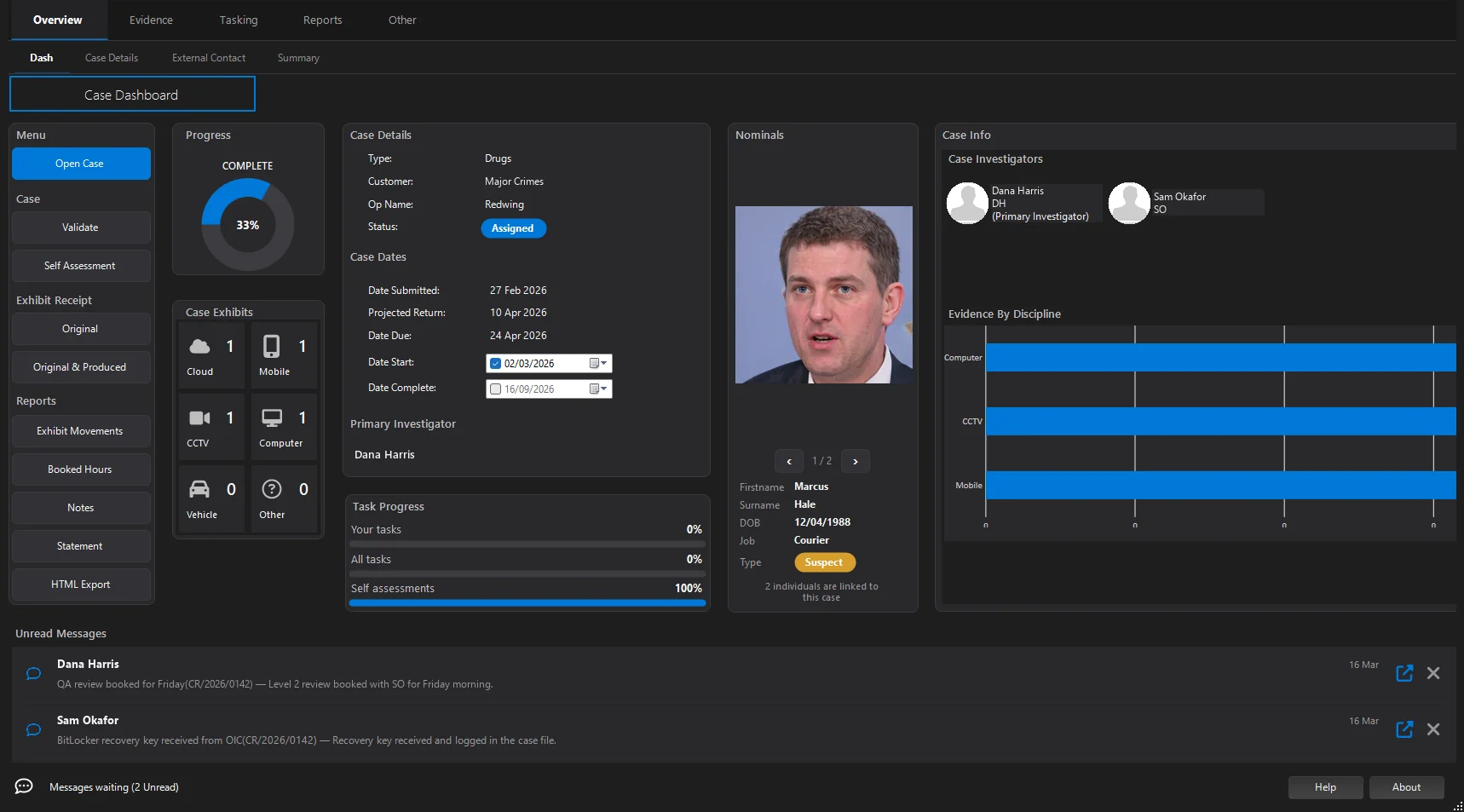
Per exhibit
Nine forms. One consistent standard.
Each exhibit type has its own form, organised the same way: strategy, actions, details, imaging or extraction, photographs, examination tools and findings.
Mobile phone
Extraction, device properties, condition, passcodes and swipe patterns, security posture.
Computer
Devices, ports, imaging and partitions, BitLocker detection, tools and findings.
Hard disk
Imaging with CASEY Imager, TX1/TX2, X-Ways or FTK Imager, with partitions.
Tablet
The phone-style forms for tablets, including device security posture.
SIM card
Provider and SIM details, acquisition and hashes.
Media
USB, memory cards and optical media, imaged and hashed.
Camera
Digital cameras and their storage, photographed and recorded.
CCTV
DVR and NVR systems, export and imaging details.
Plus an “Other” form for anything that doesn’t fit, with the same structure.
Strategy & Actions
Plan the examination. Record it as it happens.
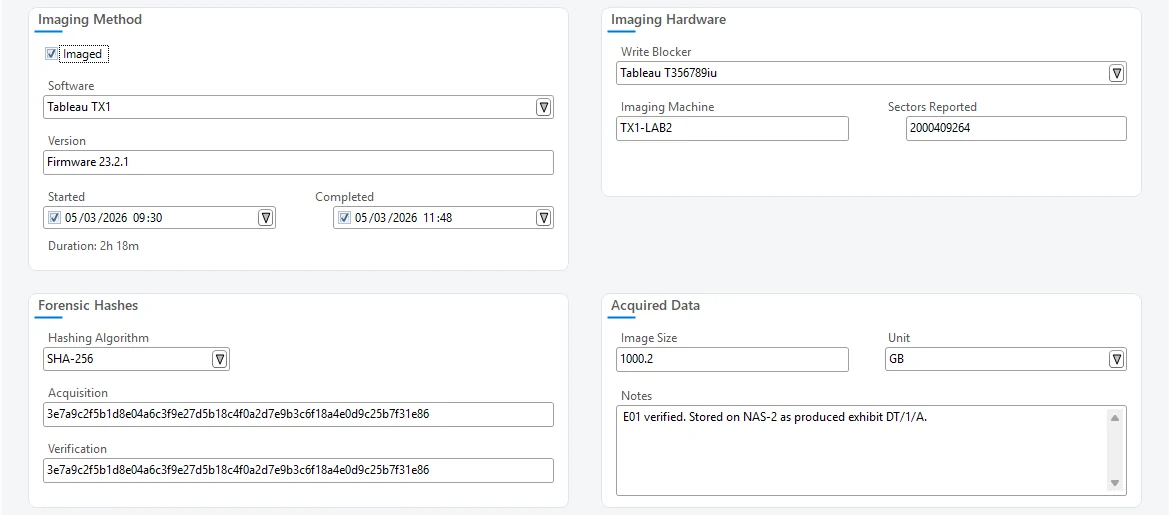
Forensic strategy templates give each exhibit a structured plan. Actions are the contemporaneous notes, timestamped and attributed, and sealed into the case’s hash chain.
- Strategy trees with per-step status, set up centrally under Task Workflow
- Imaging logs saved as Actions from TX1/TX2 and X-Ways runs
- Exhibit folders created to your standard layout on the case share
- X-Ways Forensics launched from the exhibit to image or examine
Online investigations
Online accounts get the same discipline as devices.
Six dedicated forms cover websites, email, social media, crypto exchanges, dark web sites and cloud storage. Each records the details, the credentials and authority used, and the findings.
- Authority and two-factor details recorded with each credential
- Collection constraints such as date ranges, keywords and specific users
- A per-case passwords list, with copy username and password
Website
Site details, entry point and captured content
Provider, access method and mailbox scope
Social media
Network, profile and account credentials
Crypto exchange
Exchange, data requested and authority
Dark web
Site, network, access method and isolation
Cloud storage
Provider, collection method and constraints
Capture tools
Fewer typing errors at the bench.
Read text from labels
OCR reads serials, IMEIs and SIM numbers from exhibit photographs. While you confirm each value against the picture, IMEI and SIM (ICCID) check digits are tested as you type.
Camera & photographs
Take exhibit photographs from a connected camera with consistent naming, or attach JPEG, PNG, BMP, GIF and TIFF images.
Scan & QR
Scan documents straight into the case, with CASEY QR codes read in the background as the page comes in.
Reporting
The statement starts from the record.
Because the examination is recorded in a structured way, CASEY can assemble it. Notes, statements and reports come from your own templates, so they look the way your unit and your courts expect.
- Word reports and witness statements from editable templates
- PDF case notes including hashes, timings, asset tags and findings
- Live HTML case report as a tab inside CASEY
- Exhibit labels and property receipts with QR codes
- Report
- Streamlined forensic report · 031/26
- Source
- Case notes, 11 exhibits, 64 actions
- Format
- .docx from unit template
- Statement
- Witness statement · D. Harris
- Source
- Exhibit paragraphs, findings, dates
- Format
- .docx from unit template
- Notes
- Case notes · full examination record
- Source
- Actions, imaging, hashes, durations
- Format
Illustration of outputs generated from one case.
Questions about anything on this page? Get in touch